
Get ready for a more dynamic, flexible Team Goals in HubSpot. HubSpot's latest update to Team Goals makes the feature easier and more flexible to leverage. Users can now enter both team goals and individual user goals for their selected team simultaneously. The requirement for team-level targets to be a roll-up of individual user targets has been removed, providing users with the freedom to set targets that work best for their team. Whether you're working with out-of-box or custom goals, this enhancement is designed to help reach your team's objectives.
What's in it for you?
If you’re a Sales or Service Hub user and like the Team Goals feature, this upgrade is for you. The improvements aim to prevent the repetitive and cumbersome experience of having to create user and team goals separately. Based on user feedback, HubSpot made sure Team Goals creation flow is now not limited:
Team members are now displayed in the team goal creation process. When you choose to create a team goal, you can create goals for all team members in the same flow, eliminating the need for multiple creation steps.
HubSpot increased the level of flexibility by allowing individual user goal targets to be set independently of the team-level target. This means that you can assign goal targets to team members without needing to ensure that they add up to the team-level target.
HubSpot also added the ability to create user goals that match the team goal for any new team members added after the creation of the team goal. This ensures that their contributions towards the team goal are accounted for, even if they joined the team after the initial goal creation.
How to create Team Goals in HubSpot


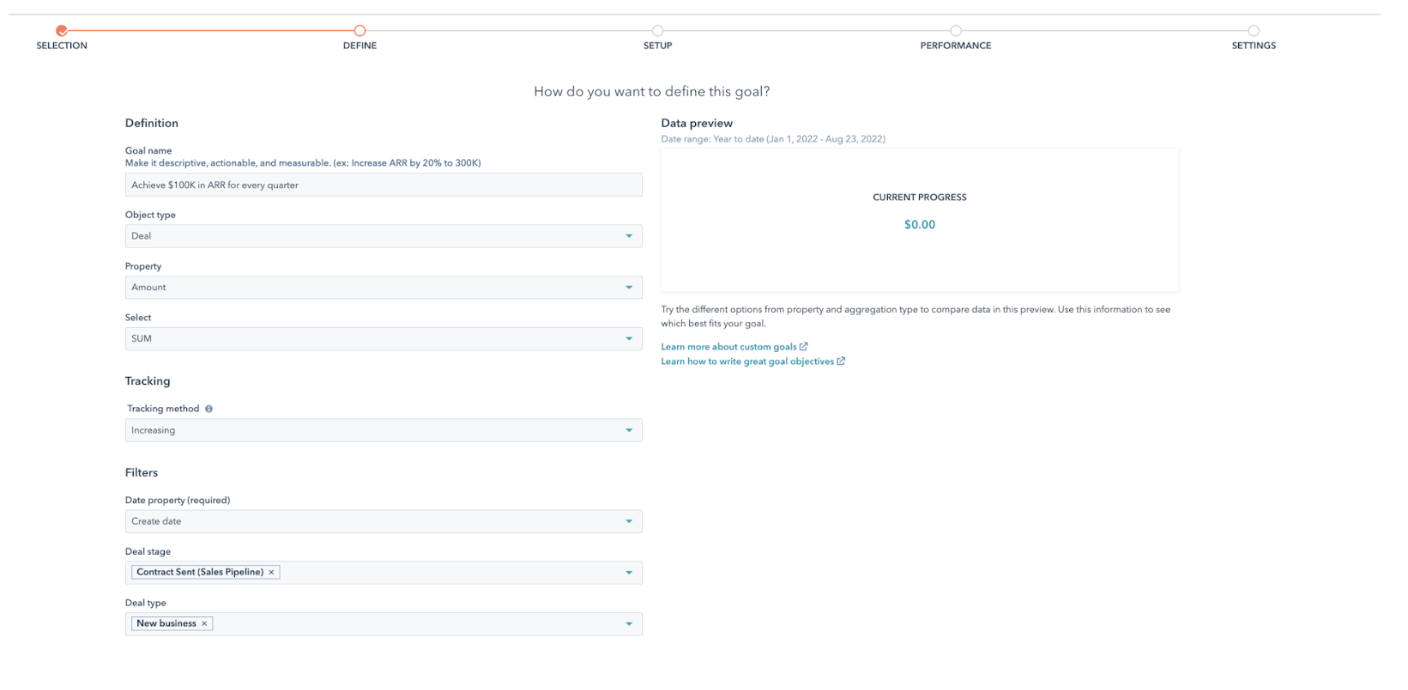

More options:
You can also select multiple teams simultaneously, and team goals can be set for the entire team or for each individual team member.
Additionally, you can specify the duration of the goal in the same step.
Within the performance section, you have the ability to set goal targets at the team level. If you have selected multiple teams, you can easily define targets for each team by utilizing the switch function.
Users can utilize the ‘enable user goals’ to view team members and define targets for each individual without having to add up to the team target. The ‘Apply Target’ feature allows for a single target to apply to all time periods if applicable.
Users can also select the notifications they wish to receive for their goal.
5. Once you select all of your desired targets, click ‘done’. 6. Finally, after a goal is created, it will appear in the ‘Goals console’ view, where you can search for it using filters and the search function.
Pro Tips It’s important to note that reporting on team goals is not yet available.
Subscription requirements: The new goals experience is available for all Sales Hub Pro+ and Enterprise customers and Service Hub Pro+ and Enterprise customers.
What’s next? Hubspot's recent update to its Team Goals tool is a game-changer for teams seeking more flexibility and customization in their goal-setting process. With the ability to set both individual and team goals simultaneously, and the freedom to set team-level targets independently of individual user targets, teams can now create more effective goals.
Is your business in need of a tailored goal-setting tool? As a HubSpot partner, InboundAV offers a complete range of services to assist your operations in creating a more streamlined Team Goals.
Talk to us {% icon icon_set="fontawesome-5.14.0" name="Alternate Long Arrow Right" style="SOLID" height="23" purpose="decorative" title="Alternate Long Arrow Right icon" %}